LogShark Workbook - Filestore
In this section:
- What is it?
- Glossary of Important Terms to Understand Filestore Workbook Data and Dashboards
- When to use it?
- How to use it?
What is it?
The Filestore process manages the storage of data extracts on Tableau Server, and — in highly available, multi-node deployments — keeps extracts synchronized across File Store nodes so they stay available if one node goes down. For more information on this process, see Filestore Process.
The Filestore workbook (Filestore.twbx) visualizes the events logged by this process. By default, INFO-level events are filtered out, so the workbook focuses on ERROR (and higher) severity events.
Glossary of Important Terms to Understand Filestore Workbook Data and Dashboards
- Class: The Java class that logged the event (for example,
com.tableausoftware.tdfs.filestore.FileReconciliationService). - Message Bin: A normalized/grouped version of an event message, used to roll up many similar raw log lines into a single row for counting (e.g. grouping every “Failed to reap folderId ‘…’” message together regardless of the specific folder ID).
When to use it?
- Check whether the Filestore process is logging errors on a given worker, and how frequently.
- Identify the most common Filestore error messages across the logset.
- Investigate specific extract storage or synchronization problems (e.g. failures cleaning up/reconciling extract folders) that could affect extract availability, especially in a multi-node File Store deployment.
How to use it?
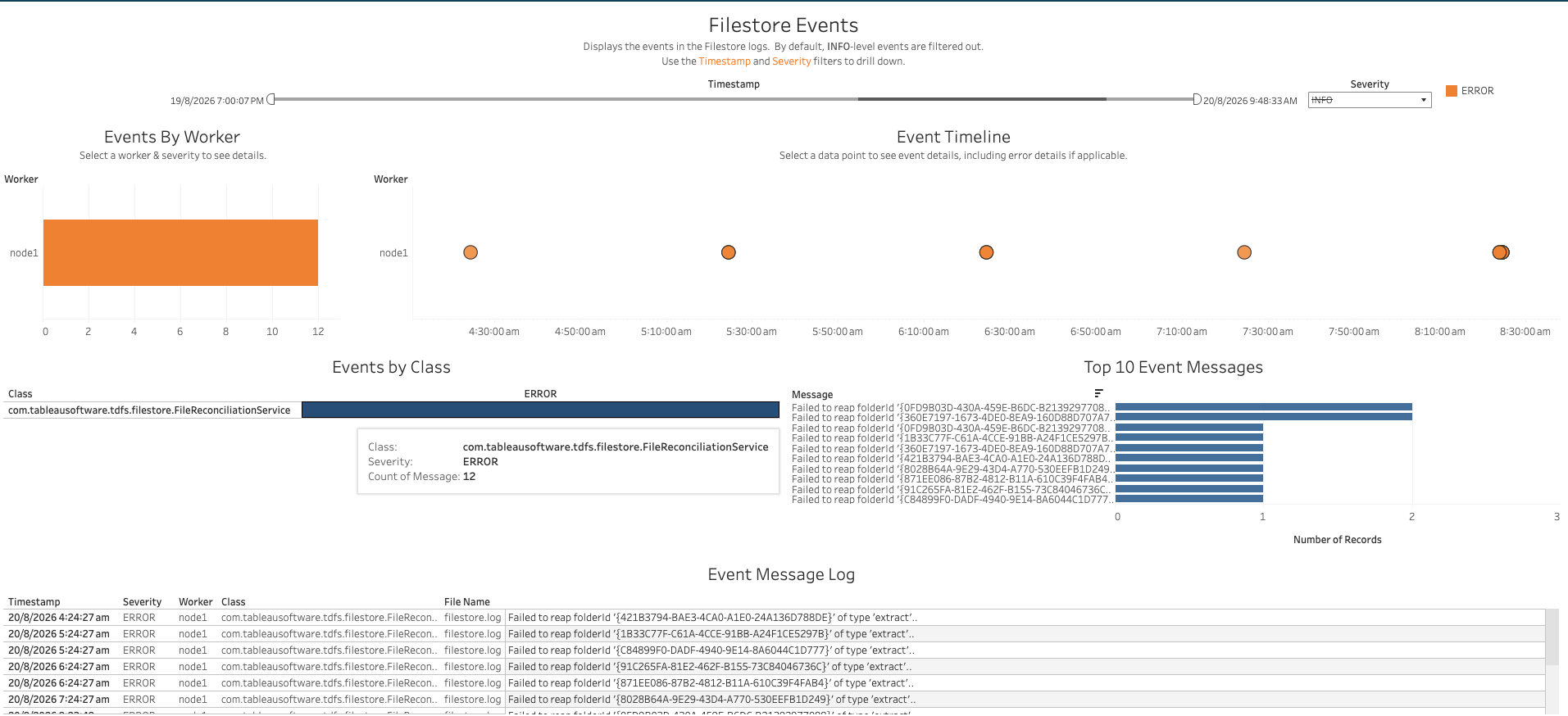
Filestore Events
Displays the events in the Filestore logs. By default, INFO-level events are filtered out. Use the Timestamp and Severity filters to drill down.
Views:
- Events By Worker: A bar chart of event counts for the selected severity, broken down by Worker.
- Event Timeline: A scatter plot of events by Worker over time. Selecting a data point shows event details, including error details if applicable.
- Events by Class: A table of event counts by Class, for the selected severity. Hovering over a cell shows the class, severity, and count of matching messages.
- Top 10 Event Messages: A bar chart of the most frequent event messages (grouped into Message Bins) by number of records.
- Event Message Log: A table of raw event rows — Timestamp, Severity, Worker, Class, File Name, and Message — matching the current filters.
Filters:
- Timestamp range filter
- Severity dropdown (INFO is excluded by default)
Use Cases:
- Get a quick sense of which workers are logging the most Filestore errors, and what the most common error messages are.
- Drill into the raw event log for full detail on a specific error, including the source log file.