LogShark Workbook - Config
In this section:
- What is it?
- Glossary of Important Terms to Understand Config Workbook Data and Dashboards
- When to use it?
- How to use it?
What is it?
The Config workbook (Config.twbx) visualizes the Tableau Server configuration captured in the workgroup.yml and tabsvc.yml files — which process types are deployed on which worker(s), and the full set of configuration key/value settings on the server.
Glossary of Important Terms to Understand Config Workbook Data and Dashboards
- Root Key: The top-level segment of a configuration key (for example, the Root Key of
wgserver.domain.fqdniswgserver). Used to group and filter related settings together. - Process Count: The total number of instances of a given process type running across the whole deployment. Some process types (e.g.
dataserver,vizqlserver,backgrounder) can run multiple instances on the same worker.
When to use it?
- Confirm which worker(s) a given Tableau Server process type is running on, and how many instances of it are deployed.
- Look up the exact value of a specific Tableau Server configuration setting without needing direct access to the server.
- Check authentication, SSL, or other server-wide settings you weren’t sure had been changed.
How to use it?
Server Topology
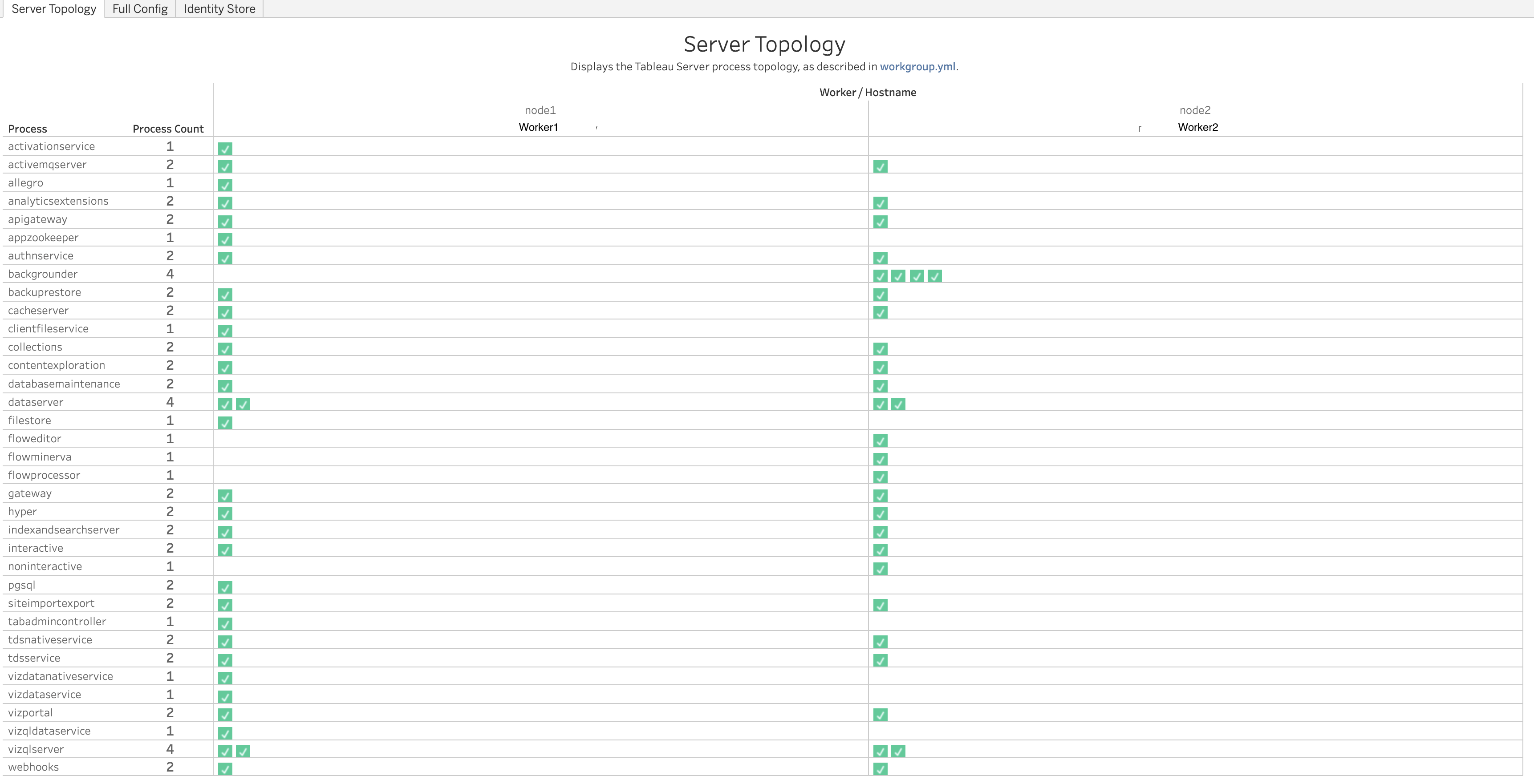
Displays the Tableau Server process topology, as described in workgroup.yml.
Views:
- Process Topology table: One row per process type, showing its total Process Count across the deployment, and a grid of checkmarks by Worker/Hostname. Each checkmark represents one running instance of that process on that worker; a process type with multiple checkmarks under the same worker (e.g.
dataserver,vizqlserver) has multiple instances running there.
Use Cases:
- Quickly confirm which workers run a given process type and how many instances, without manually parsing
workgroup.yml. - Compare process counts and placement across workers to spot an imbalanced or unexpected topology.
Full Config
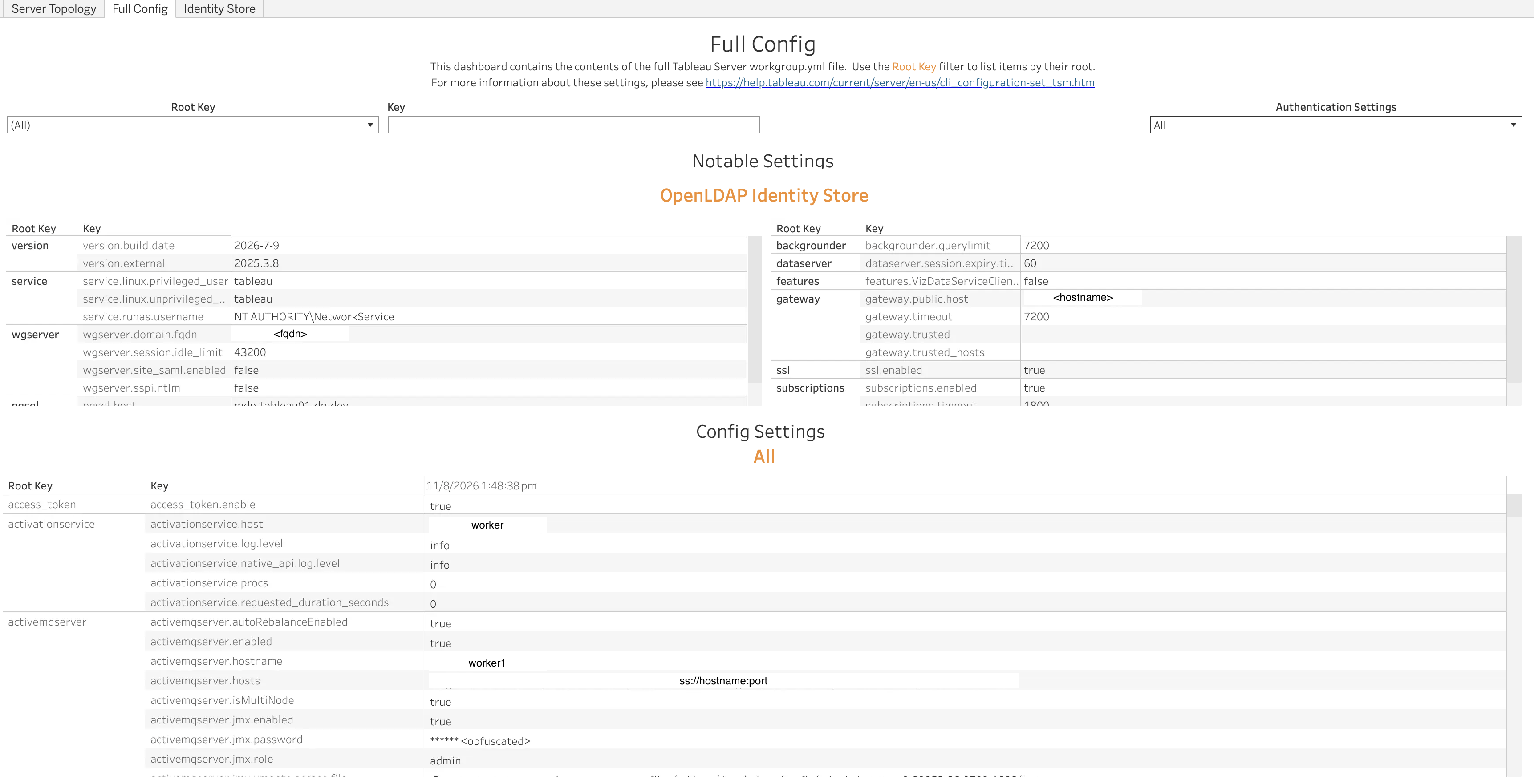
Contains the contents of the full Tableau Server workgroup.yml file.
Views:
- Notable Settings: A curated set of frequently-relevant settings shown side by side — including the detected identity store configuration (e.g.
wgserver.domain.fqdn,service.runas.username) and other commonly-checked settings such asbackgrounder.querylimit,dataserver.session.expiry.time,gateway.public.host,ssl.enabled, andsubscriptions.enabled. - Config Settings: A full Root Key / Key / Value table of every setting found in the config files.
Filters:
- Root Key dropdown
- Key search box
- Authentication Settings dropdown
Use Cases:
- Look up the exact value of any Tableau Server configuration setting captured in
workgroup.yml/tabsvc.yml. - Confirm authentication, identity store, or SSL-related settings without accessing the server directly.
- Use the Root Key or Key filters to jump straight to a specific group of settings instead of scrolling through the entire config.