Get View Image
Retrieves an image of the specified view in a Tableau workbook.
APIs called
- Query View Image
- Get View (if applicable tool scoping is enabled)
Required arguments
viewId
The ID of the view, potentially retrieved by the List Views or Get Workbook tool.
Example: 9460abfe-a6b2-49d1-b998-39e1ebcc55ce
Optional arguments
width
The width of the rendered image in pixels that, along with the value of height determine its
resolution and aspect ratio.
Example: 1600
height
The height of the rendered image in pixels that, along with the value of width, determine its
resolution and aspect ratio.
Example: 1200
format
The format of the image. Default: PNG
PNG(default): Raster image format. Works with all Tableau Server versions.SVG: Vector graphics format. Scalable and smaller file size. Requires Tableau Server 2026.2.0+ (REST API v3.29+).
Choosing a format:
- Prefer
PNGwhen the image will be analyzed or interpreted (e.g. answering questions about the data in the viz). - Prefer
SVGwhen the image will be displayed to the user (e.g. embedding or rendering the viz in a response).
Example: SVG
viewFilters
Map of view filter field names to values. vf_ prefix for field names is optional and will be added
automatically when building the view filter query.
Example: { "year": "2017" }
Response behavior
The tool returns one of two result shapes:
MCP_S3_BUCKETunset (default): returns the rendered image inline, base64-encoded.- When
formatisPNG, the MCP result will contain the PNG image content (MCP result withtype=imageandmimeType=image/png). - When
formatisSVG, the MCP result will contain both the SVG XML (type=text) and the SVG image content (type=imageandmimeType=image/svg+xml)
- When
MCP_S3_BUCKETset: returns aresource_linkwith a short-lived presigned URL to the rendered image in S3 (withmimeTypematchingformat), instead of inlining the image data.
Example result (default)
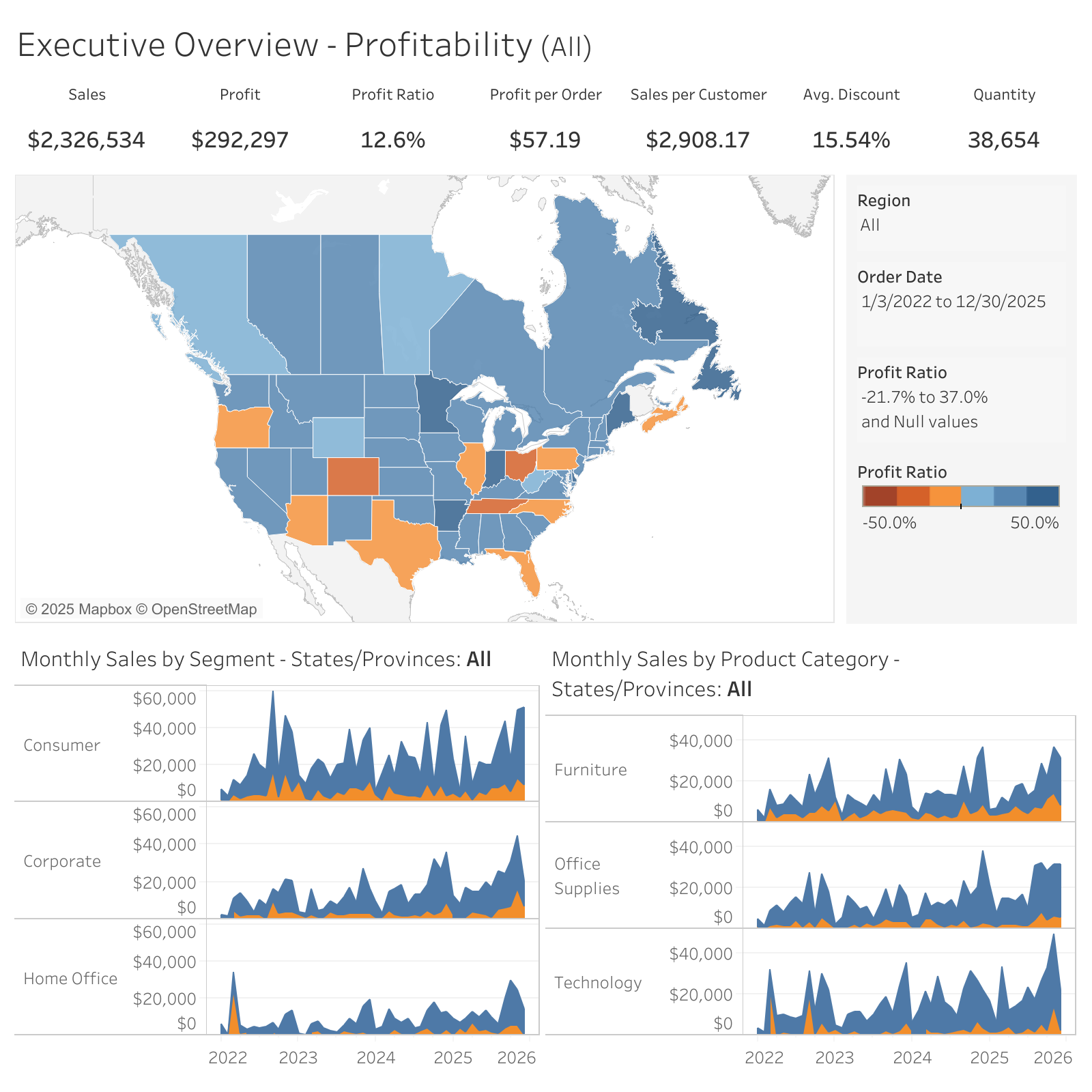
Example result (S3 mode)
{
  "type": "resource_link",
  "uri": "https://example-bucket.s3.amazonaws.com/...presigned...",
  "name": "view-image.png",
  "mimeType": "image/png",
  "description": "Rendered view image stored in S3. This is a short-lived presigned URL."
}